Stay independent online.
The digital world can be overwhelming. Pop-ups, phishing, updates that change everything. Clearly Screen makes the computer calm and clear. Set it up once, and anyone can work safely and independently.
30 days free. Then £9.95 per month. Cancel monthly with one click.
See how it works →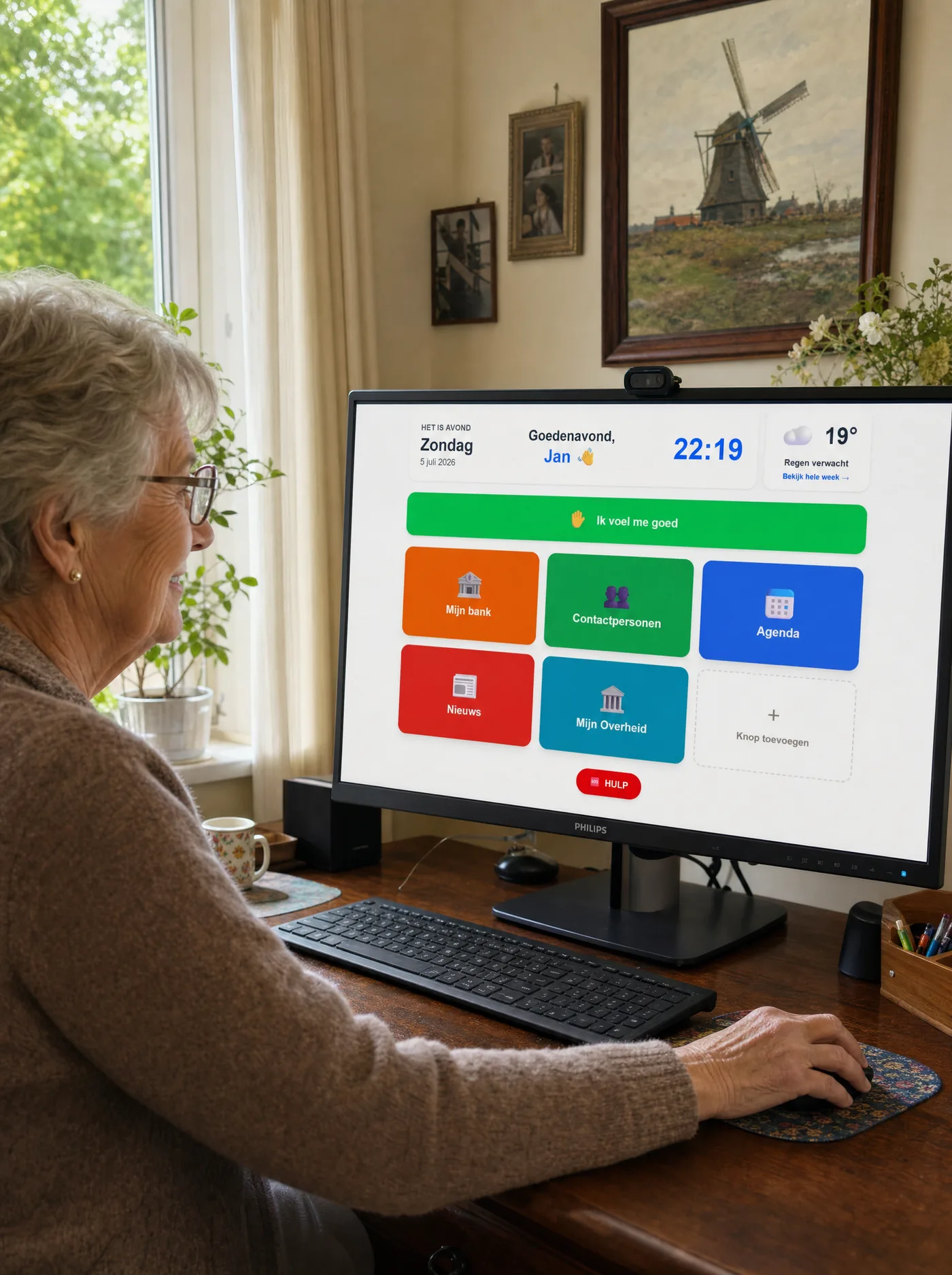
1 in 3
people over 75 worldwide struggle to use the internet or digital devices
Source: WHO Decade of Healthy Ageing
2.6 billion
people globally are offline or lack basic digital skills
Source: ITU Facts and Figures 2024
Everyone deserves to keep participating.
Almost everything is digital now. Banking, government services, your doctor, taxes. For most people this works fine. For a large group it does not.
Those who can't keep up with the digital world end up asking for help with the smallest things. That affects their sense of autonomy and self-confidence. People start avoiding things. They miss bills, skip appointments, or lose touch with family who only stay reachable through WhatsApp.
Clearly Screen helps people keep working independently with their computer. Set it up once, and from then on anyone can go online safely and calmly. Banking, mailing, WhatsApp, contacting the council. No getting lost, no panic, no shame.
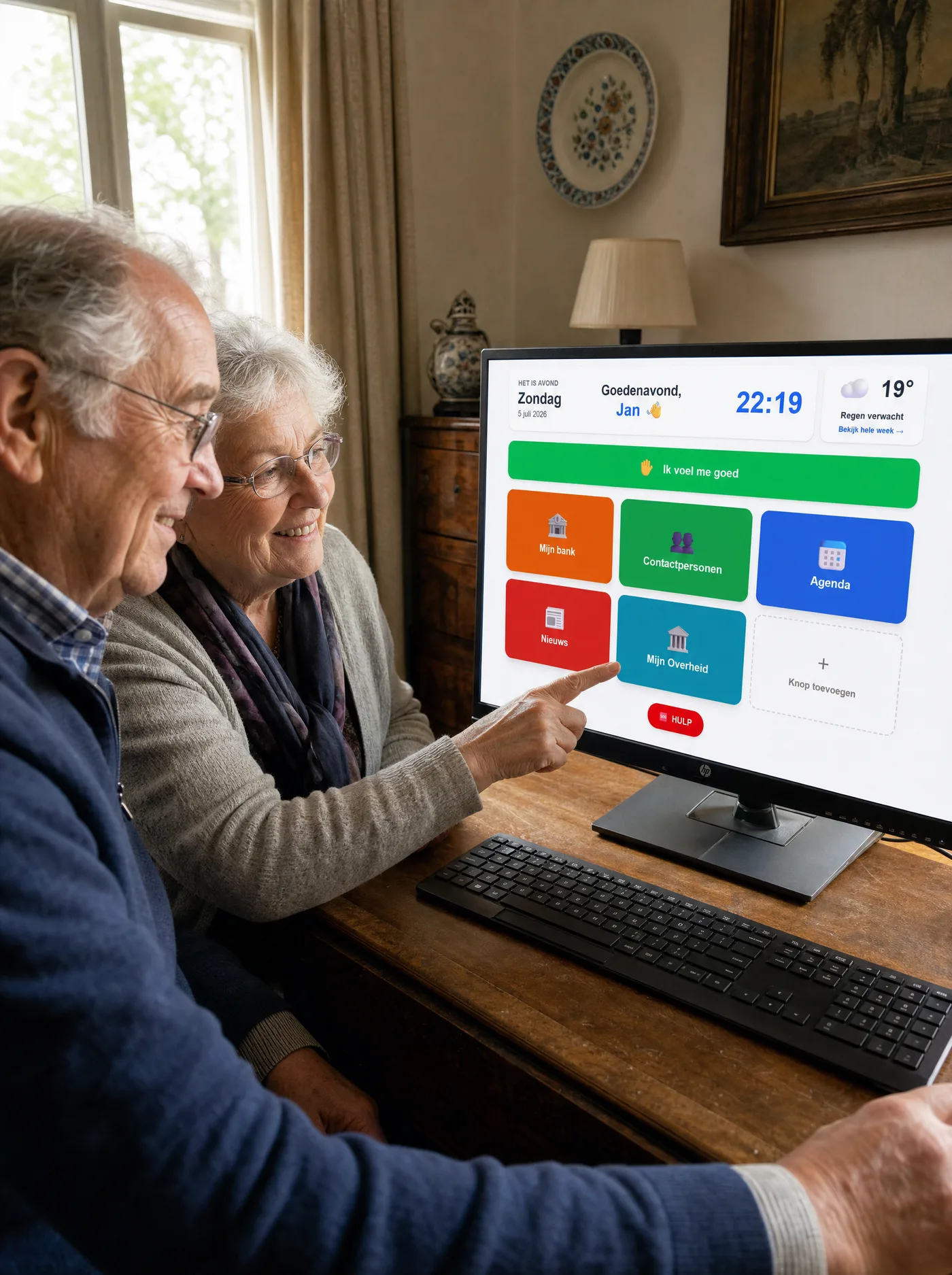
One calm overlay on the existing computer.
No new device. No course. As soon as the computer turns on, Clearly Screen opens automatically. Only what's needed every day, in big buttons, in a fixed place. The rest of the computer is still there, but the user no longer gets pulled into it.
Without Clearly Screen
⚠️ Account blocked!
Click here to verify within 24 hours...
Cookies?
Accept all...
Update!
Restart needed...
Pop-ups, phishing, lost bookmarks, a browser full of tabs.
With Clearly Screen
Hi, Jan 👋
14:23
One screen. Big buttons. Fixed place. Optional HELP button and daily check-in.
Set it up once in 3 steps
Create a profile
Name and a PIN. One minute of work.
Set it up
Which buttons, which contacts, which appointments. From any computer or phone.
Install and pair
Download the app on your loved one's computer and pair it once with the profile code and PIN. After that the screen opens by itself. Every Monday a quick email about how the week went.
Every website is possible.
All buttons are fully customizable. Your own bank, your own health insurer, your own council. Your own news site, your own webshop, your own sports club. Whatever is used daily, sits big and visible.
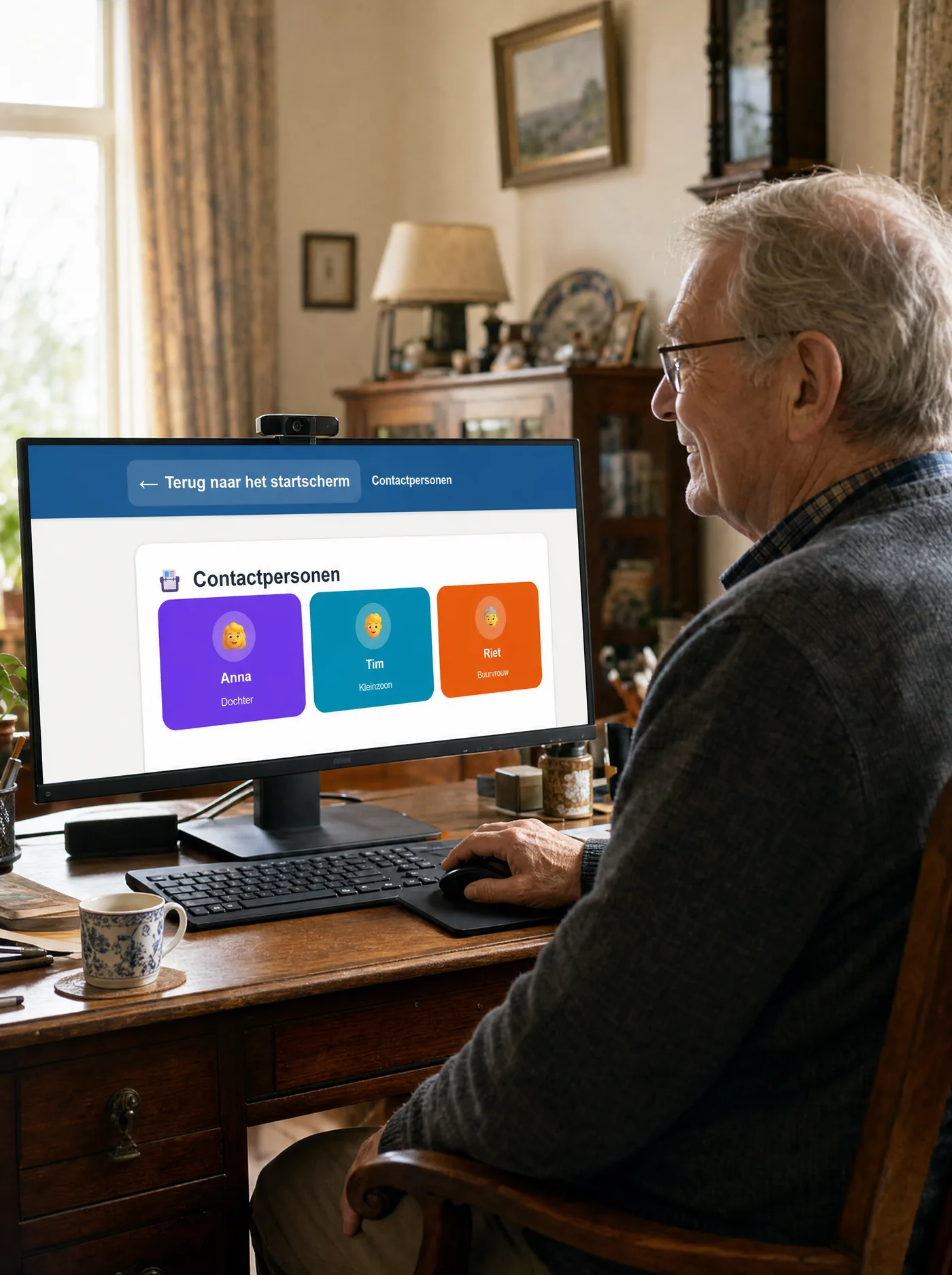
WhatsApp also gets simpler.
One button per contact. With photo, name, and direct access to the right chat. No more searching through contact lists, no more opening the wrong conversation.
One tap on a daughter's photo, and the chat with her opens. Calling or video calling works exactly the same way.
What they keep doing themselves.
Clearly Screen does nothing for the user. It only makes findable what they want to do themselves.
Own banking
Their own bank, their own password. One click to get there.
Own WhatsApp
Real WhatsApp, real contacts. Photo, message, call, all of it works.
Own calendar
What family schedules, appears on the day itself.
Own government affairs
ID portal, council, tax office. Fixed buttons, no maze.
Own online TV
Streaming services and live TV. One click, direct viewing.
Own calling and video
One tap on a face, the phone rings.
Optional extras for those who need them.
Not relevant for everyone. Valuable for those who do need them. Fully optional, switch on or off.
HELP button — for moments of doubt
A big red button on the start page. Press when something online feels off: a suspicious email, a too-urgent pop-up, a website that doesn't look right. Sends an SMS to one or two contacts so they can call back and check it together.
Not a medical alarm and not a replacement for emergency services. For falls or medical emergencies: call your country's emergency number and use a dedicated alarm service (Lifeline, Hausnotruf, or similar).
Daily check-in
One tap on "I feel good" sends an SMS to a loved one. If the check-in doesn't come by a set time, an automatic alert goes out.
Reassurance for people living alone with family at a distance, without needing daily phone calls.
The app for your loved one, the management for you
Your loved one gets the calm Windows app. You handle everything remotely, from your own phone or computer.
Desktop app (Windows)
- ✓Fullscreen, no tabs or pop-ups
- ✓Buttons open in sub-window with large ← BACK bar
- ✓Starts automatically with the computer
- ✓No browser buttons to accidentally press
Remote management
- •Manage from any computer or phone
- •Set buttons, contacts and appointments remotely
- •Changes appear automatically on your loved one's screen
- •You never need to be with your loved one
£9.95 per month.
30 days free trial. Then monthly, cancelable.
- ✓Unlimited buttons and contacts
- ✓Remote management from any computer or phone
- ✓Weekly family email with overview
- ✓Optional HELP button with SMS alert
- ✓Optional daily check-in
- ✓Calendar with day-specific appointments
- ✓Photo messages for cognitively vulnerable users
- ✓Desktop app for Windows, plus management from any computer or phone
Payment details required. Nothing charged during the trial period.
Questions others had too
Who is Clearly Screen for?+
Primarily for people over 75 who want to stay independent online but find the constant changes exhausting. Often a parent, a partner, a family member or neighbour. Also helpful for anyone with cognitive challenges or a learning disability. Set it up once, then it works on its own.
Does this work if the user isn't very handy with computers?+
That's exactly who it's for. The user doesn't need to install anything, learn anything, remember anything. One click on a big button, done.
What happens after 30 days?+
The subscription starts. £9.95 per month is automatically charged. Monthly cancelable with one click via your account.
Is it safe? Does Clearly Screen see what the user does?+
Clearly Screen registers which buttons were pressed when. Not what was sent on WhatsApp, not bank balances, not the contents of emails. All data is stored in the EU (Supabase), no sale to third parties, no advertising.
How do I get help if something doesn't work?+
Clearly Screen is built to set up yourself. The online manual has step-by-step instructions. If something doesn't work, email info@clearlyscreen.com. Response within a few business days.
Start today, for free.
Set up in 10 minutes. 30 days to try it out.
Try 30 days freeQuestions? info@clearlyscreen.com